
Role-based for every team member
From creative teams to station admins, everyone gets a tailored dashboard and sees exactly what they need, when they need it — creating, assigning, managing, or delivering is one click away.

The request-fulfillment workflow that runs promo and creative operations at television networks, station groups, and newsrooms — project requests, approvals, delivery, and real-time communication in one place. No more email chaos.
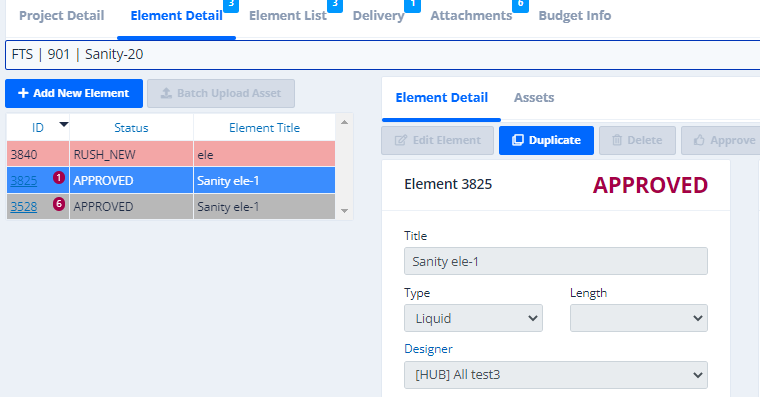
From creative teams to station admins, everyone gets a tailored dashboard and sees exactly what they need, when they need it — creating, assigning, managing, or delivering is one click away.
RFS identifies rush elements from due dates, lets requesters justify and adjust them, and tracks rush work on the status board with email and desktop notifications.
Project-level chatrooms with access control, unread notifications, and secure share links — the conversation stays with the work.
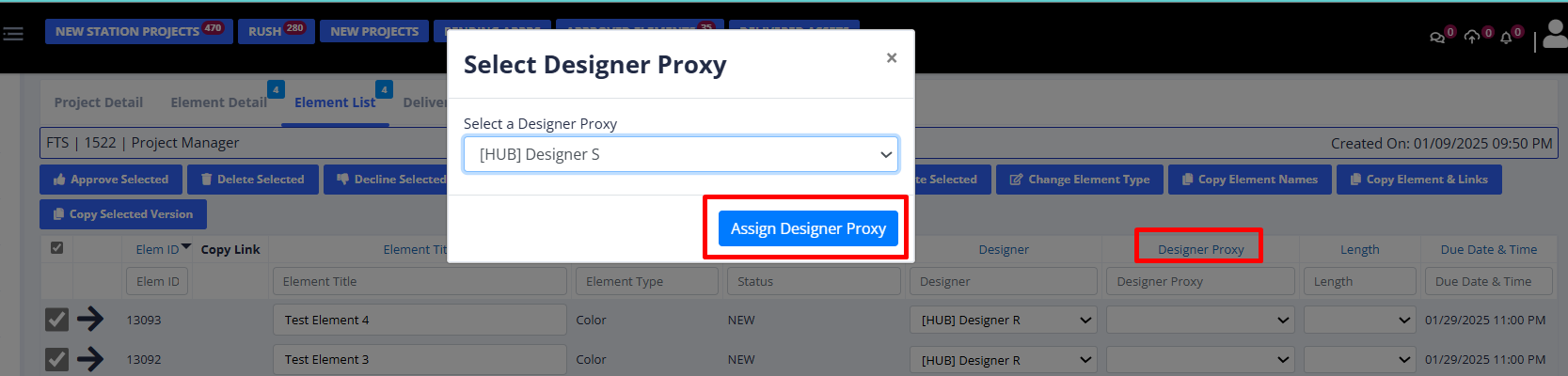
Assign a designer and a backup proxy per request so nothing stalls when someone is out.
Every element carries a status; approvers see what's waiting, requesters see where it is, managers see the whole board.
Approved deliverables flow to DigiRhino for synchronized delivery to every station and market.
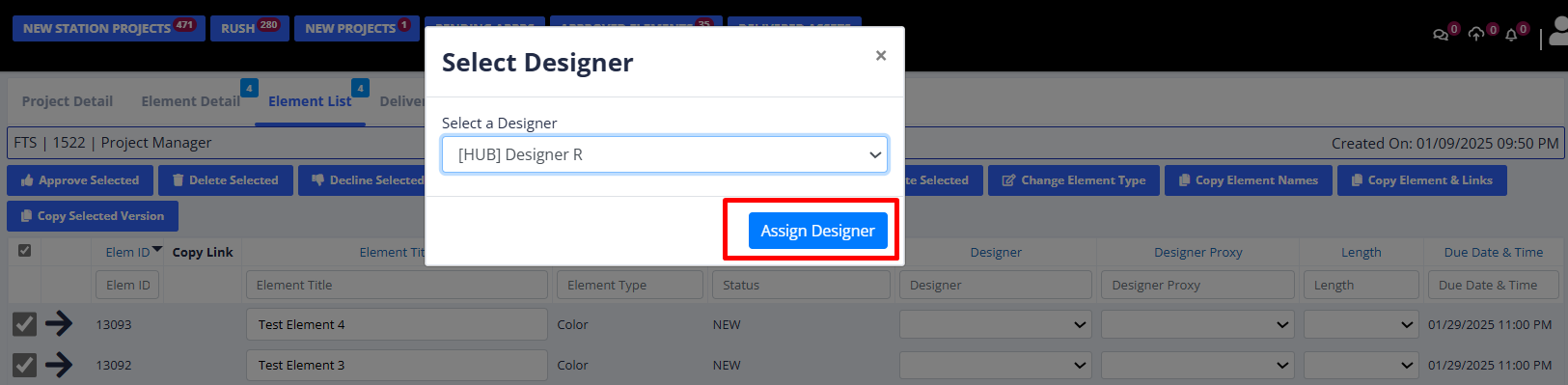
Role-based access means creative, traffic, and station staff each get the view built for their job. Assign work in seconds, with a proxy designer for backup.
Every asset that lands in RFS is read on the way in by SearchMedia.ai, the media search engine we built ourselves. Stills and footage are analyzed for visual labels. Audio and documents are transcribed and mined for key phrases. What you get back is a library you can search by subject — not by whoever happened to name the file.
Fox Television Stations, FX Networks, BET, HSN, and Fox Movie Channel among them. Same stack for a national network and a county weekly.
Register for a trial account and we'll set up a workspace for your team. A real person in Mariposa follows up — not a drip sequence.
Bring one request and one deadline. We'll walk it from intake to delivery in 30 minutes.